Approximately Up Patch Notes: All Updates 1.0.005-1.0.214
Approximately Up patch notes through 1.0.214: the radar distance readout, wider Ctrl label rotation, Initializer, Invisible Block, jetpack and RCS fixes.
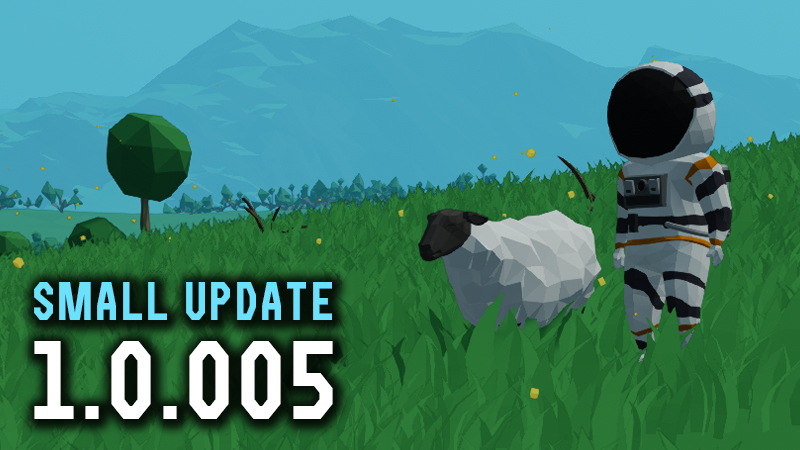
Approximately Up launched on Steam on August 6, 2026 at $24.99 (10-day launch discount to $19.99 is now over). Solo developer Approximately Games has kept shipping almost daily: early hotfixes 1.0.005–1.0.012, the bigger 1.0.100 quality-of-life update, the instrument drops 1.0.104 and 1.0.105, 1.0.110 with Undo/Redo, the September mirroring run through 1.0.204, the 1.0.210 cabin-parts drop, 1.0.211 with holographic/glass sorting and RCS controller fixes, 1.0.212 with the Initializer, Invisible Block, and a jetpack pass, and 1.0.214 with the radar distance readout, wider Ctrl-rotation for writable labels and meters, and a Fly Mode crash fix. This page tracks what each patch actually changes for building, flying, and co-op.
Version note: patch numbers and fix lists below were re-checked on October 10, 2026 against the official Steam News feed for app 3904850. The newest confirmed build on that feed is 1.0.214 (October 8, 2026). Store listings may lag a few hours behind the news post.
Launch Details: Release Date and Price
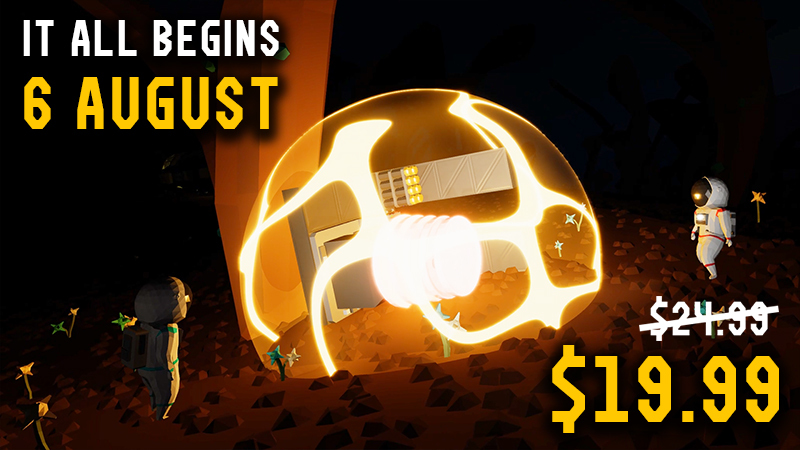
The game released on August 6, 2026 as a full 1.0 version — no Early Access — from solo developer Approximately Games. The base price is $24.99, and a launch offer cuts it 20% to $19.99 for the first ten days after release, with regional pricing in other currencies. The 10-day launch window has ended; Steam currently lists the regular price again (regional pricing applies). Treat any temporary Steam sale as separate from the original launch offer. (Last checked: August 28, 2026.)
The Road to 1.0: Demo, Events, and the Demo’s Last Day
Before release the game ran a long public demo: it went live on February 23, 2026 for Steam Next Fest, was originally scheduled to end on March 10, and was then extended to run all the way to release. That demo period hosted two limited-time events — Fred’s Quest in April and the blue-star finale Fred’s Star in June — plus the #NoFrameChallenge community building contest. The demo was removed just before launch, which is why old demo-era guides mention ships and missions that do not exist in 1.0.x. The official Steam News hub holds 14 posts in total; the six post-launch hotfixes below are the ones that matter right now.
Patch 1.0.005 (Aug 7): Custom Keys and a Broken OR Gate
The first post-launch patch made the hotbar 1-0 keys customizable, so part slots are no longer locked to defaults. It also fixed a genuine circuit bug: the Logic Gate OR was behaving like AND, which silently broke player logic — worth knowing if your doors or timers misbehaved on day one (the full component list lives in circuits-and-logic). Co-op groups got a prompt that appears when host and client versions differ and tells you who needs to update, ending the classic “cannot join my friend” guessing game (multiplayer-and-coop covers session setup). The patch also updated mission descriptions and hints, added explanations for the VSync and Max FPS settings, shortened the Aundara-to-Moon distance from 115M to 95M, and added an option to disable the in-game Workshop.
Patch 1.0.006 (Aug 8): Signed Readings and a Progress Counter
The second patch fixed the Fuse Box, which could not be switched back on after tripping, so a breaker trip no longer leaves your power stuck off. The Axis Rotometer now outputs signed values and reports direction instead of magnitude only; this, together with the hitbox fix that followed in 1.0.008, is what makes attitude instruments usable for auto-stabilization (mounting notes in parts-and-instruments). The Large Disposable Battery blueprint preview was fixed as well. The game also gained an intro screen with credits, and the objective log now shows “Objectives Completion: XX%”, so total progress is visible from hour one (getting-started explains where that counter lives).
Patch 1.0.007 (Aug 9): The Mouse3 Typo and Blueprint Fixes
The day-three patch was small but landed exactly where new players stumble. The default binding for taking the part you are looking at had a typo — Mouse3 instead of Mouse2 — which was corrected, alongside a compatibility fix for Metal devices and a cleaned-up pipe description. Drop The Depth Diver and Trial By Thrust, two early missions, received extra hints for players who kept losing the thread. Saving also got two fixes: the Fuel Analyzer’s mode knob now keeps its setting when a ship is saved as a blueprint, and a new option lets you invert seat mouse axes (blueprint workflow is covered in saves-and-blueprints).
Patch 1.0.008 (Aug 10): The Biggest of the Six
1.0.008 was the biggest update of the six, with roughly a dozen items. Instruments and painting got the most attention: the Axis Rotometer’s hitbox was fixed along with its leftover issues, plasma cables can now be painted, and cable holders take the same paint as their cable. Control fixes included swapping the RCS controller’s front-panel Yaw/Roll to match the back panel, opening the manual while seated, and letting the BPS braking system accept negative speed values; an Autohemisphere solar-panel reset tied to flight mode was fixed too. Co-op players get world names that display across different client languages, the Whiteboard picks colors by clicking, and the solar storm was re-tuned so the Moon-to-Basalt route is about 99% safe (planets-and-locations covers route planning). (Last checked: August 13, 2026, patch 1.0.008.)
Patch 1.0.009 (Aug 11): Ports, Geometry, and the 2,000 m Transmitter
1.0.009 tackled the wiring pain point players reported most: on the Frame Quarter With Ports, a cable connected to one port now carries through the entire frame chain, and the A-D port labels match on both sides. A few players still report corner cases where labels do not follow the chain, so treat this as an official fix with residual reports. Part geometry got a pass too — Middle Window, the small switch, the small button and the stick switch all snap more cleanly, the Void Watcher base’s oversized satellite collider was corrected, and the medium fuel thruster’s paintable zone now aligns with the small and large versions. Cinematic-mode seat cameras no longer lock, and the Wireless Transmitter description was corrected from 100 m to its real 2,000 m range — a significant change for anyone planning remote circuits on a large ship.
Patch 1.0.010 (Aug 12): Workshop Browsing and the Nanoframe Mismatch
The newest confirmed patch, 1.0.010, fixed Steam Workshop browsing: “Most Popular” sorting, paging and missing results, plus clearer search. The Workshop held 412 items when we checked on August 13, 2026, and it should now actually be browsable (saves-and-blueprints covers downloading and sharing blueprints). The Nanoframe Quarter With Ports had a renderer mismatch that put visual ports in the wrong place, which is corrected. And a monitor whose secondary input is unpowered no longer gets overwritten by white noise — a small fix that matters to any circuit watching several camera feeds.
Launch-Week Reception
The Scarlet Seeker’s 1.0 overview (Aug 8, 2026) called the game a “best gamer experience of the year” candidate for co-op groups, based on a six-hour session with a four-player crew. Its comparisons: Space Engineers is less approachable, while Mars First Logistics and Trailmakers are the mission-driven building benchmarks. The reviewer also confirmed the release atmosphere is more robust than the demo, the aerodynamic readout was added, and the Moon still requires an eyeball approach before the brake system unlocks.
Patch 1.0.011 (Aug 13): Wireless Labels and Port Contact Areas
Small quality-of-life pass: Wireless Transmitters got labels; Frame Quarter With Ports gained contact areas so you can attach components directly to the ports; Camera Overlay, Datameter, and Large Datameter gained integer/float display switches; unlocking a new manual or objective now flashes a green tip in the bottom-left so you notice it.
Patch 1.0.012 (Aug 14): Float Is the Default Switch Type
Integer/float switches now default to Float, because most components output 0–1 range values. If older tutorial screenshots show Integer as the default, update your mental model — new builds start on Float.
Patch 1.0.100 (Aug 21): Pause, Fast Forward, and a Big QoL Bundle
This is the first major post-launch feature drop after the early hotfix chain.
Time controls. The Time Controls menu (default P) now includes Pause and Fast Forward next to Time Rewind. Both work in single-player and multiplayer. Fast Forward runs the full simulation at 3× (nothing is skipped), which costs more CPU and can lower FPS.
Building and flying QoL. Right-clicking an inventory item puts it straight into your hand (no hotbar assign first). The Gyro-Line middle line is highlighted so screen center is easier to read. Fullstar/Halfstar became three individual stars. The tutorial ship was rewired onto one electric circuit so Radar/Display/RCS no longer die after ~13 minutes when the two front batteries emptied on the old multi-circuit starter.
Performance and simulation. Roughly 10% better performance on large ships (dev test: build 126→138 FPS, fly 80→87). Better determinism, player/package depenetration (Tree Lid / Hazard Barrel less likely to glitch out while carried), less “slow push out of a landed ship,” and Long Range Distance Meter math upgraded float→double for tiny distant planets.
Balance. Solar storms slightly weaker; Black Hole Tunnel gravity lowered by 100; Hazard Barrel radiation radius reduced; Solar Shield absorption simplified from flux values to degrees.
Notable fixes. Seat outline; missing Objectives-tab components; Control-held knob sensitivity; Moonstep tree colliders; camera default FOVs; huge-mass integer overflow; thruster heat area 0.01 m offset; Red Tank description; packages after Time Rewind / during spacewalks; Wind Shield physics; Ducted Fan speed-port description; objective-complete blink sound when the required item glows.
Patch 1.0.104 (Aug 25): Space GPS and Massmeter
Two new instrument blocks plus mission rewards and clarity fixes.
- Space GPS — mount outside the ship with ≥60% free space around it. Correctly placed, it outputs space coordinates relative to the Sun/center of the universe: distance, longitude, latitude. Reward: 1× from the Tree Lid mission on Baobara.
- Massmeter — measures the mass of the ship it is mounted on; updates automatically (e.g. after decoupling). Reward: 3× from Operation Ghostfire on the Moon.
- New manual pages: Space Scanner and Solar Storms (how storms work and how to tell when you enter the deadly zone).
- Baobara Interferencemeter now shows distance to the interference source directly (no more 0–1 range).
- Battery and Dynamo Box joint strength ×2.4 (harder landings/acceleration).
- Fuse Box now trips when value is greater than the threshold (was ≥).
- Jumping in space removed (it could shove you off the ship with no way back).
- Wind/Solar Shield visuals less opaque; Delay values save into Time Rewind points; assorted frame-label, lever model, Round-mode, and objective-reward formatting fixes. Mission text for What Happened To Baobab updated.
Patch 1.0.105 (Aug 26): Jump Fix, Keybind Save, Meters
Micro polish after 1.0.104:
- Fixed being unable to jump on airless planet surfaces after recent changes.
- Key bindings now save immediately when edited (not only when leaving a seat) — quitting to Main Menu mid-edit no longer loses binds.
- Thermometer fixed; close-range collision for Long Range Distance Meter and Distance Meter improved.
- Missing localization for the new Space Scanner Manual page fixed.
- Picking a block from Inventory with RMB now auto-closes the Inventory.
Patch 1.0.110 (Aug 31): Undo/Redo and Loose Component Warnings
The next numbered update adds Undo/Redo to build mode and a set of quality-of-life fixes that change how you build, fly, and read component descriptions.
Undo/Redo. Build mode now keeps an Undo/Redo history of up to 200 steps. The default keys are Ctrl+Z (Undo) and Ctrl+Y (Redo), and a settings option lets you swap the two bindings — useful on layouts like QWERTZ where the physical key positions differ. The undo history is for the editor only; it does not affect flight or Time Rewind.
Disconnected-component warning. Pressing H in build mode now puts an exclamation mark on any component that is not connected to anything else. This is aimed at the “ship randomly breaks apart in flight” reports: a single loose label or unattached part can collide inside the ship and trigger a cascade failure, and the marker makes those stragglers easy to spot before takeoff.
Flight and package fixes. Packages on windy planets are now immune to wind and other forces until first touch, so they should stop glitching underground or being blown away before you reach them. A physics bug where moving a package in front of a running thruster could launch it away with extreme force is also fixed. A small “FAST FORWARD 3×” text now appears at top-center while Fast Forward is active.
Component tuning and fixes.
- Magnetometer power draw reduced from 15 P/s to 5 P/s.
- Electric Valve pipe-port description corrected: 0 = closed, 1 = open.
- Electric circuits now correctly fail when cables are burned, and cables burn when they should under high power usage.
- Remaining key-binding conflicts fixed, including conflicts when loading a blueprint as a Selection.
- Jetpack Hover Mode can now be bound to a custom single-tap key instead of only “double-tap sprint”.
- Hints for the Baobara Interference mission were updated.
Patch 1.0.120 (Sep 6): Multiplayer Undo, Gyro-Line, GeForce NOW
A small follow-up to 1.0.110:
- Undo/Redo no longer makes blocks overlap other blocks in multiplayer.
- Skin discontinuity where the tube connects to the jetpack.
- Swapped mass values between Frame Half Curved 2 and Frame Half Curved 6.
- Inverted pitch output on the Gyro-Line in the 180° rotated mode.
- Medium Gate weight; Aerometer paintable faces; Undo/Redo when painting an entire cable.
- “Swap Undo/Redo” moved to the Controls section in Options.
- The game is on GeForce NOW.
- Mirroring was in progress at this point — it shipped two patches later in 1.0.201.
Patch 1.0.201 (Sep 13): Block Mirroring Arrives
The headline item the developer had been promising since the August roadmap post finally landed.
- Mirroring for all blocks, both on a single block while placing it and across whole selections made with G. Default key is V. This is the single biggest building change since launch — symmetric ships no longer require placing everything twice.
- Writable labels can be flipped 180° while editing their text by pressing Ctrl.
- Crouch while swimming.
- Beacons now receive black hole distortion, so they line up with the target planet instead of pointing at the undistorted position.
- Gyro-Line fix: both outputs had been inverted in 180°-rotated mode. If you built an autopilot around it, multiply the output by -1 (or use a Subtractor) to keep the old behaviour.
- Animal transport quests (Mammooth Express, Return Of The Herd, Triceratops Transport) could fail to register completion — fixed.
- A very rare crash when submerging into the ocean, plus a Lava Pumping Tank collision that exploded after entering Fly Mode.
- Story Mode saves are now tied to your Steam account rather than the physical machine, which fixes the GeForce NOW problem where every session created a new save.
- Brachiosaurus Egg radar icon updated to stop it looking like the Base icon; all gate icons updated; several objective descriptions clarified.
Patch 1.0.202 (Sep 13): Component Limit and Rotated Text
Two fixes, both of the “it was lying to you” kind:
- Selected components no longer count toward the component limit. Previously, selecting parts highlighted them red if you were already at the limit, as if they were extra.
- Text rotated by 180° was misaligned on the Data Hub and Joystick Vertical. If your labels looked off-centre after rotating them, this is why.
Patch 1.0.203 (Sep 14): Multiplayer Labels and the Condition Block
- Writable labels would not rotate in multiplayer — fixed.
- The Condition block model was updated so it is visibly obvious that you can interact with the signs on it to change the comparison mode. This is a usability fix rather than a logic change: the block worked, but nothing on the model told you the signs were clickable.
Patch 1.0.204 (Sep 15): Mirror Bugs and Space GPS Consistency
A short follow-up to 1.0.201’s mirroring feature, plus two fixes that were quietly annoying.
- Loading a mirrored Frame Quarter With Ports could stop cables updating correctly. If your mirrored frames behaved strangely after a reload, that was this.
- The missing mirrored variant of Glass Half Curved 3 was added.
- The Ducted Fans’ wind-blowing area was updated to match their visuals, and their aerodynamics were improved — previously the push did not match what you could see.
- Signal measuring for Space GPS and Magnetometer is now deterministic instead of randomly jittering, so identical setups produce identical readings.
- Fixed an instant-death bug that could trigger when travelling at high speed, spacewalking, and carrying a package into or out of a spaceship.
- The Condition block now shows its comparison mode in the UI (Mode: Equal, Mode: Not Equal, Mode: Less, and so on), which pairs with the 1.0.203 model change.
- Removed the outdated “Press I To Open Inventory” key tip.
Patch 1.0.210: Cabin Parts, Speaker, and Fuel-Pipe Mixing
A parts drop, not a tiny hotfix. Official Steam news for 1.0.210 adds a run of new components and one fuel-pipe fix that can fake throttle:
- Ramp Gate / Ramp Nanogate, Personnel Door / Personnel Nanodoor, LED Text, and Speaker (like the Beeper, but with 23 selectable sounds and One-shot / Repeat). The Beeper itself also got a Pitch knob from -5 to +5.
- Small / Medium / Large Holographic Display and Extendable Damper.
- World Settings: Indestructible joints between components (Creative-mode fun without joints snapping). Unlocked all planets now also permanently unlocks the Black Hole Tunnel and the Mini Wormhole between Twins.
- Red Alert Light is two-stage: input above 0.333 lights only; above 0.666 lights and sound.
- Candy Bouquet time limit 30 → 33 minutes.
- Fuel mixing could make fuel “disappear” or “multiply” inside pipes, which showed up as weird acceleration when you restricted flow — fixed.
- Rewinding time now always disables Fast Forward and resets simulation speed to normal (pairs with the Time Controls notes in getting-started).
- Typing into a label no longer fires other key binds. Player ping-arrow rotation on mirrored blocks, Low-shadow acne, the Beeper manual, mirrored Glass Half Curved 6 sticky areas, mirrored Ducted Fan rotation, a one-frame flicker when mirroring, and Outcast Polar Anchors not burning cables are all fixed.
Mounting notes for the new cabin parts live in parts-and-instruments.
Post-1.0 Roadmap (Developer Confirmed)
On August 17, 2026 the developer posted More Updates Are Coming! and stated Approximately Up will keep receiving significant updates for at least the next 3–5 years. Near-term items called out in that post included component/selection mirroring, single-player pause, simulation speed-up, undo, rotatable writable labels, a ship-weight block, emergency door opening without power, and a Data Plotter. Most of those have now landed: block mirroring in 1.0.201 and rotatable writable labels in 1.0.201/1.0.203 join Pause/Fast Forward in 1.0.100 and the Massmeter weight block in 1.0.104. Specifically, Pause and Fast Forward shipped in 1.0.100, and the ship-weight block arrived as Massmeter in 1.0.104. Treat anything not yet in a numbered patch as planned, not guaranteed.
Micro-update 1.0.211 (Sep 28): Holograms, Glass, and RCS Controllers
A micro-update with two items builders will notice:
- RCS Thrusters now connect to the closest RCS Controller, allowing multiple RCS Controllers to be used more effectively in Creative Mode (parts-and-instruments covers RCS mounting and LED rules).
- Transparency sorting issues with Holographic Displays and Glass underwater were fixed.
The rest: the Ramp is soundproof again when closed, the Red Alert Light description was corrected, and the Bidirectional Maneuvering Thruster’s port description was fixed.
Small update 1.0.212 (Oct 1): Initializer, Invisible Block, Jetpack
Official Steam news for 1.0.212 (October 1, 2026) is a small parts drop plus a jetpack pass:
- Initializer — a new component. The note names it and stops there, so what it actually does on a ship is not yet confirmed.
- Invisible Block — visible in Build Mode, gone in Fly Mode. It only shows up if the world has Unlimited components turned on. The note’s example use is cinematic shots.
- Jetpack — slightly more max upward force, and the tank lasts longer before it recharges. Hover Mode now cancels leftover horizontal speed, which is how you counter wind shoving you sideways.
- Joints on all fuel tanks are stronger.
- Ctrl+G is about 2.5× faster on very large selections, and leftover outlines after Ctrl+G are gone.
- Particles that failed to render on some AMD devices should show up now.
- Glass Half Curved 4 had a sound leak; that is closed.
The new parts sit in parts-and-instruments.
Small update 1.0.214 (Oct 8): Radar Distances and Wider Label Rotation
A small pass, but two of these change how you read the ship:
- The Radar screen now shows a distance number from the centre of the radar to the edge of the screen. It is there to make distances to packages and bases readable while you zoom in and out.
- Ctrl-rotating a writable label now rotates its other texts too, including numbers on the Datameter, Large Datameter, Data Hub, Horizontal Meter, Vertical Meter, Arc-90 Meter and Arc-270 Meter. Anyone who had to place separate blocks to fake a rotated readout can replace them.
- Small Dampers are stronger.
Fixes:
- A crash when entering Fly Mode after Ctrl-deleting a whole pipe that contained an Electric Valve or Fuel Analyzer connected to a power cable.
- Fuel Analyzers are no longer selected together with pipes when you Ctrl-select all connected pipes.
- “Converted From The Demo” worlds were being created repeatedly when playing through GeForce NOW.
- The Space Scanner INF output flickered when pointed directly at a very distant target.
The developer also confirmed they are working on an official wiki with more detailed component documentation; treat anything not yet published there as unconfirmed.
Sources
Verified October 10, 2026 against the official Steam News feed and store page for app 3904850.
- Steam store page: https://store.steampowered.com/app/3904850/Approximately_Up/ (official)
- Steam News hub: https://store.steampowered.com/news/app/3904850/ (official)
- Steam News API: https://api.steampowered.com/ISteamNews/GetNewsForApp/v2/?appid=3904850&count=20 (official)
- More Updates Are Coming! (Aug 17, 2026): https://store.steampowered.com/news/app/3904850/ (official announcement on hub)
- Patch posts on hub: 1.0.005–1.0.012, 1.0.100, 1.0.104, 1.0.105, 1.0.110, 1.0.120, 1.0.201, 1.0.202, 1.0.203, 1.0.204, 1.0.210, 1.0.211, 1.0.212, 1.0.214 (official)
- YouTube release-week overview: https://www.youtube.com/watch?v=DLZtIqyiVvY (The Scarlet Seeker)
Fan-made guide. This site is not affiliated with Approximately Games, Steam, or Valve; all game content and media belong to their respective owners. Factual details were last checked on October 10, 2026.